
Last checked . Picks are based on the prices, rates, fees and terms each provider publishes, checked at the source. We never rank products by commission. See how we’re funded.
The Android security patch level is a date on a phone’s About screen, and for November 2026 the two dates that matter are 2026-11-01 and 2026-11-05. A phone showing the later date has all of the month’s fixes. A phone showing the earlier one may lack some. This guide shows where to find the date on stock Android and on Samsung Galaxy phones, what the 01 and 05 endings mean, and what to do when the date looks old.
- Where to find the Android security patch level on each phone
- What the 01 and 05 dates mean
- What the November 2026 update fixes
- How to update and confirm the patch
- What is not known
Steps come from eSecurity Planet’s patch-level explainer, dated November 10, 2026. Counts of fixes come from MalaysianWireless’ summary of the November bulletin, which cites Google’s Android Security Bulletin. Neither the bulletin nor a phone’s menus were opened for this guide, so menu names may differ on a given model.
Where to find the Android security patch level
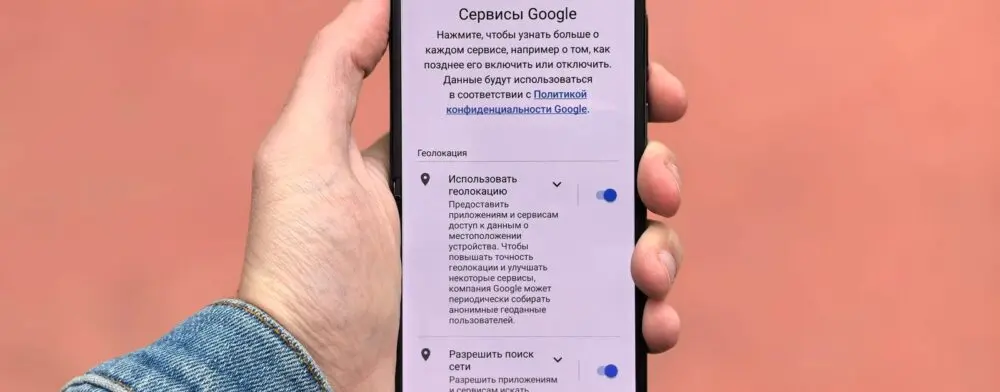
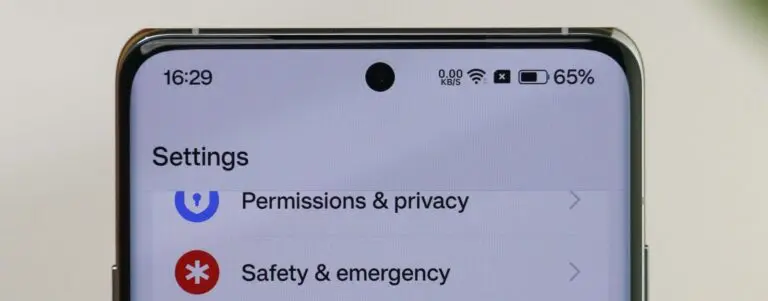
eSecurity Planet gives these steps for stock Android, and says menu names vary by phone. Searching Settings for “security update” or “security patch level” is the fallback it suggests.
- Open Settings.
- Select About phone, then Android version.
- Find the entry called Android security update and note the date.
- Note the Google Play system update date separately, if the phone shows one.
On a Samsung Galaxy phone, the same article lists the path as Settings, About phone, Software information, then Android security patch level. Samsung also publishes a security-update scope page that lists which models get monthly, quarterly, or twice-yearly firmware updates, according to eSecurity Planet.
The date shown as the Android security patch level is the one the manufacturer declares. It is not the purchase date or the day the update was installed.
What the 01 and 05 Android security patch level dates mean
Google splits each monthly bulletin into two patch levels, one ending in 01 and one ending in 05. eSecurity Planet says Google does this so manufacturers can ship groups of fixes faster. The two levels differ in what they promise.
- 2026-11-01: the fixes assigned to the first level, plus applicable fixes from earlier bulletins.
- 2026-11-05: every applicable fix from both November levels, plus earlier bulletins.
The 05 does not mean the update was installed on November 5. MalaysianWireless adds that a device on the 01 level may lack the kernel and chipset patches that arrive with the 05 level.

The Jolt Journal’s arithmetic gives a quick way to read the date. A phone with an Android security patch level of 2026-10-05 is exactly one monthly bulletin behind the November 5 level, a gap of 31 days. A phone showing 2026-09-05 is two bulletins behind, a gap of 61 days. The count is the number of monthly bulletins missed, and each one carries its own list of fixes.
A fix for a component the phone does not have may not apply to it at all, eSecurity Planet notes, so a lower date is not proof of a specific hole. It does mean the manufacturer has not declared the newer fixes.
Android security patch level versus Google Play system updates
Android lists three entries that look alike: the Android version, the Android security update, and the Google Play system update. eSecurity Planet describes the last one as covering selected modular components that Google delivers separately from the full operating system, sometimes outside the normal release cycle.
The two dates can differ. A Google Play system update does not replace the manufacturer’s firmware update, the article says, so a recent Play date does not mean the Android security patch level is current. Searching Settings for “Google Play system update” finds that screen.
What the November 2026 Android update fixes
MalaysianWireless reports that the November bulletin, published November 2, fixes 216 vulnerabilities, 23 of them rated critical. It covers Android 14, 15, 16, and 17, with one flaw listed for 16 QPR2. The outlet’s summary names several of the critical flaws.
- CVE-2026-58868: a remote code execution flaw in the Android Framework that needs no user interaction.
- CVE-2026-58876 and CVE-2026-58936: two more critical remote code execution flaws, in the System component.
- CVE-2026-58882: a denial-of-service flaw tied to what the outlet calls the “SMS of Death.” A crafted WAP Push message can crash the telephony service without the recipient opening it.
- Chipset flaws: eight critical MediaTek modem bugs and one critical Qualcomm closed-source flaw.
The outlet says Google has not reported active exploitation of the three remote code execution flaws, and that it found no confirmed public evidence of the SMS flaw being used against Malaysian users. It does not say whether any of the 216 fixes were exploited elsewhere.
Samsung’s own November release is summarized in the same article as 20 critical Google fixes plus 24 Samsung-specific vulnerabilities. Other outlets give different Samsung totals, and a rollout schedule varies by region and carrier, so a Galaxy owner may not see the update on the same day as a Pixel owner.
How to update the phone and confirm the Android security patch level
eSecurity Planet gives the update paths below. Labels vary by model, carrier, and software version.
- Back up the phone, connect to Wi-Fi, and make sure it has enough battery.
- On stock Android, go to Settings, then System, then Software updates. On a Galaxy phone, go to Settings, then Software update or System updates.
- Install the update and restart the phone.
- Return to the Android security patch level screen and read the date again.
The last step matters. A finished download is not the same as a verified patch level, the article says. If the date has not changed, the update may have failed or may be pending a restart.

The site’s guide to updating Chrome uses the same confirm-after-install habit for the browser, and its piece on spotting phishing emails covers message-based tricks that a patch does not stop.
If the Android security patch level looks old
eSecurity Planet lists what to check when the Android security patch level is behind. Update schedules vary by device, manufacturer, and carrier, and a bulletin’s release does not mean every supported phone receives it right away.
- Check the exact model number against the manufacturer’s update schedule.
- Check the security support end date for that model.
- Check for a regional or carrier rollout that has not reached the phone yet.
- Look for failed downloads or a restart waiting to finish.
If security support for the model has ended, the article recommends moving sensitive activity, such as banking, to a supported device. The site’s guide to app photo access on Android and iPhone covers another setting worth reviewing on an older phone.
What is not known
- The bulletin and the phone menus were not read directly, so the Android security patch level steps and fix counts rest on two secondary reports.
- Samsung’s total number of fixes differs between outlets, and no source read here reconciles them.
- No source gives a rollout date for each Galaxy or Pixel model.
- It is not stated whether any of the 216 fixes were exploited before the patch.
- Menu names may differ on a specific model or carrier build.
Editor’s take
Editor’s take: The Android security patch level is one of the few checks that takes under a minute and gives a concrete date. The gap between the 01 and 05 levels is the detail most readers overlook, since a phone on the earlier date can look current while missing kernel and chipset fixes. A reading of 2026-11-05 or later is the target, and anything older is worth checking against the model’s support schedule.
This article is for general information on the Android security patch level, based on eSecurity Planet and MalaysianWireless as of November 23, 2026. Menu paths, fix counts, and update availability may change. It is not security advice for a specific device.