


Last checked . Picks are based on the prices, rates, fees and terms each provider publishes, checked at the source. We never rank products by commission. See how we’re funded.
Ask Maps itineraries let Google Maps turn a typed or spoken request into a day-by-day trip plan with numbered pins, according to Google’s November 16 announcement. The same update adds route tips and appointment finding. This guide covers how to build, reopen, edit, and share Ask Maps itineraries, and where each feature is available.
- What Ask Maps itineraries include
- How to build and reopen one
- Route tips, appointments, and saved lists
- Availability, and what is not known
Details come from Google and two press reports, as of November 18, 2026. Rollouts are gradual, so some accounts may not see the features yet.
What Ask Maps itineraries include
| Part of an itinerary | What Google says |
|---|---|
| Length | From a day of holiday shopping to a three-day road trip |
| Layout | Day-by-day schedule, insider tips, and numbered map pins |
| Live details | Live traffic, whether a place is open, and the vibe of the next stop |
| Changes | Add a stop, such as a viewpoint or lunch spot, and tap for directions to the next one |
| Sharing | Share with friends and family, or export to Google Docs on desktop |
Google’s own example is a three-day road trip with coastal hikes and oceanfront dining. Android Authority adds that plans can span several states.
How to build Ask Maps itineraries

Google’s post does not give a menu path. Press reports fill part of the gap. BGR says phone users tap Ask Maps and then type or speak a question. Desktop users find it under the menu icon.
- Open Google Maps on Android or iOS.
- Tap Ask Maps.
- Type or speak a trip request.
- Read the schedule and the numbered pins.
- Ask for changes, or add a stop.
The Jolt Journal’s suggestion for a first request: name the start point, the number of days, the pace, and any must-have stops. A vague prompt gives Maps more room to guess.
| Prompt detail | Why it helps |
|---|---|
| Start and end points | Sets the route the pins follow |
| Number of days | Sets the daily schedule |
| Interests, such as hikes or food | Shapes the stops |
| Must-have places | Keeps fixed stops from being dropped |
Three habits, also The Jolt Journal’s suggestion, keep a plan usable:
- Keep days short. Fewer stops leave room for delays.
- Check closing times. Google says itineraries show whether a place is open, but holiday hours can differ.
- Save a copy. Desktop users can export to Google Docs as a backup.
How to reopen and share Ask Maps itineraries
| Action | How | Source |
|---|---|---|
| Reopen | Request the itinerary by name, or look for the “itinerary” badge in chat history | |
| Add a stop | Ask for the stop, then tap for directions to the next one | |
| Share | Send the plan to friends and family | |
| Export | Google Docs, desktop only | Google, BGR |
The export limit matters for planners who like a document. A phone user can share a plan but cannot export it, according to BGR.
Know before you go route tips
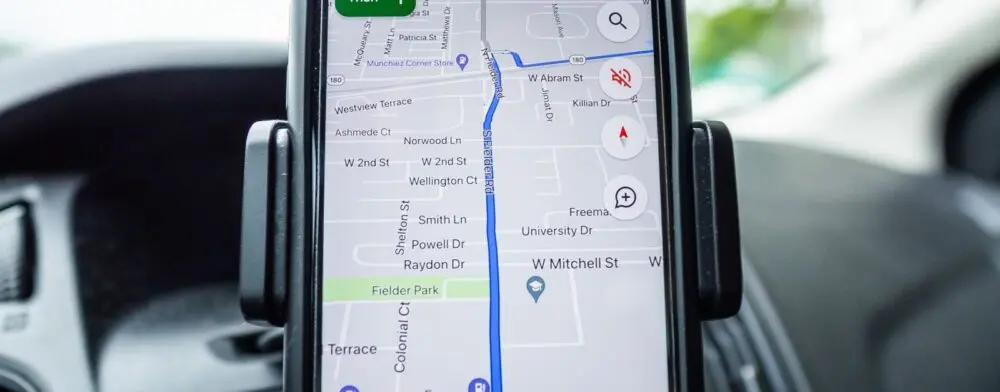
Maps shows tips when directions are open. Google lists parking, EV charging, weather, delays, and tolls. Android Authority says the tips appear in Drive mode.
- Parking and charging: where to park or charge the car.
- Conditions: weather, possible delays, and tolls.
- Region: U.S. first, with more places to follow, per Google.
The site’s report on Thanksgiving travel costs covers gas and airfare for the same weeks, and its guide to Gemini on CarPlay covers a driving-side feature.
Appointment finding and saved lists
Ask Maps can also look for appointments. Google says it can search online and call local businesses for beauty, pet care, auto, and home repair. Google’s example is “Find me a 4 p.m. nail appointment near me.” Open slots across nearby businesses appear so the user can choose.

List search is a separate feature. Google’s example asks which saved spots have room for five people in the next 30 minutes. BGR adds that Ask Maps can use past conversations when history settings are on.
Where Ask Maps itineraries are available
| Feature | Availability, per Google |
|---|---|
| Itineraries | Wherever Ask Maps is offered |
| List search | Wherever Ask Maps is offered |
| Know before you go tips | U.S. first |
| Appointment finding | U.S. first |
Rollout began November 16 on Android and iOS. Google says Ask Maps is expanding to 30 European countries, including Spain, Germany, and the U.K., which brings it to more than 200 countries and territories. Google gives no per-country dates.
A five-minute Ask Maps itineraries test
These steps are The Jolt Journal’s suggestion.
- Minute one: find the Ask Maps button in Maps. If it is missing, the rollout may not have reached the account.
- Minute two: request a one-day plan for a nearby trip.
- Minute three: check each stop’s hours on the place page.
- Minute four: add one stop and watch how the order changes.
- Minute five: find the itinerary badge in chat history.
Ask Maps itineraries questions
- Does it cost anything? Google’s post gives no pricing.
- Does it work on desktop? BGR says Ask Maps sits under the menu icon on desktop. Google says Docs export is desktop-only.
- Can an itinerary include appointments? Google presents appointment finding as a separate feature.
- Can friends edit the plan? Google says plans can be shared. It does not say whether recipients can edit them.
- Does it work abroad? Itineraries work wherever Ask Maps is offered, per Google.
- Who writes the summaries? Google’s page says its AI summaries are generated by Google AI.
What is not known
- Pricing or limits. Google’s post states neither.
- Supported languages for Ask Maps itineraries.
- Which booking partners and businesses take part in appointment finding.
- How accurate the AI-written tips are. Google’s page says its generative AI is experimental.
- When each European country gets the features.
Editor’s take
Editor’s take: Ask Maps itineraries are a planning aid, not a booking guarantee. Hours, traffic, and tolls can change, so the plan is best treated as a draft to check against place pages. The useful test is simple: build one small trip before relying on it for a long one.
This article is for general information on Ask Maps itineraries, based on Google, Android Authority, and BGR as of November 18, 2026. Features, menus, and availability may change.