We may earn a commission when you buy through links on this page. It doesn't change what we recommend.
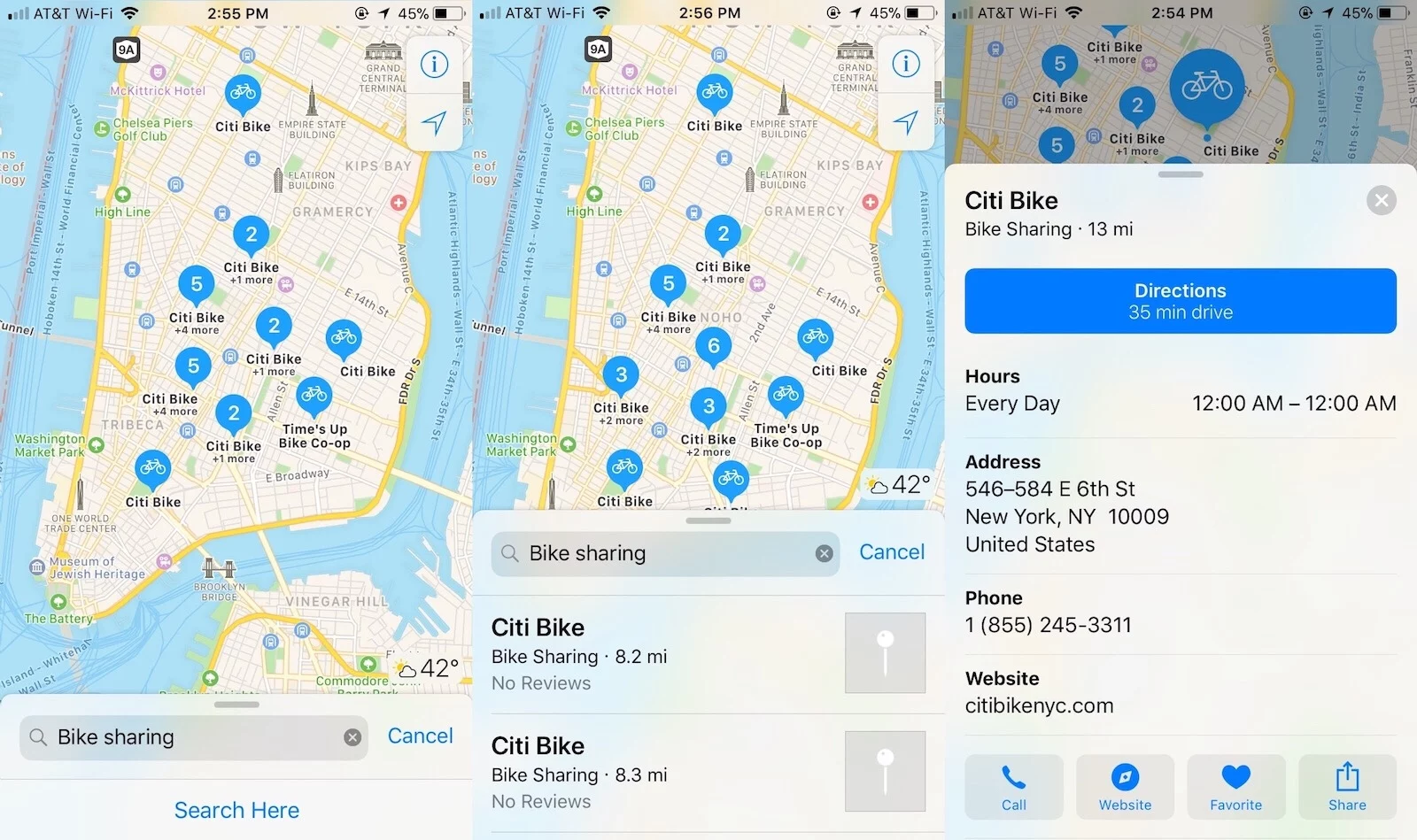
Apple and Ito World have partnered up to bring bike-sharing dock information to Apple Maps, TechCrunch reports. In the supporting cities, users can now just type “bike sharing” or the name of a bike-sharing service into the Apple Maps search bar and it will then show you all of the nearby dock locations as well as the bike-sharing service’s phone number and website. Through the partnership, Apple is sharing Ito World’s bike data feed that includes information for 179 cities in 36 countries.
We first learned about Apple working on bike-sharing information into Maps last April, but the company’s partnership with Ito World provides the them with a large portfolio of bike-sharing data. There are, however, some limits. Apple Maps will be able to show you where bike-sharing docks are located but will not provide other information such as how many bikes are available or how many docks are currently empty as well as can’t provide you with information on dockless bike-sharing services.
This new feature introduced in Apple Maps will help the company better compete with the likes of Google Maps, which will also let users search for bike-sharing docks. You can start searching for bike-sharing services on Apple Maps right now.