
We may earn a commission when you buy through links on this page. It doesn't change what we recommend.
Last checked . Picks are based on the prices, rates, fees and terms each provider publishes, checked at the source. We never rank products by commission. See how we’re funded.
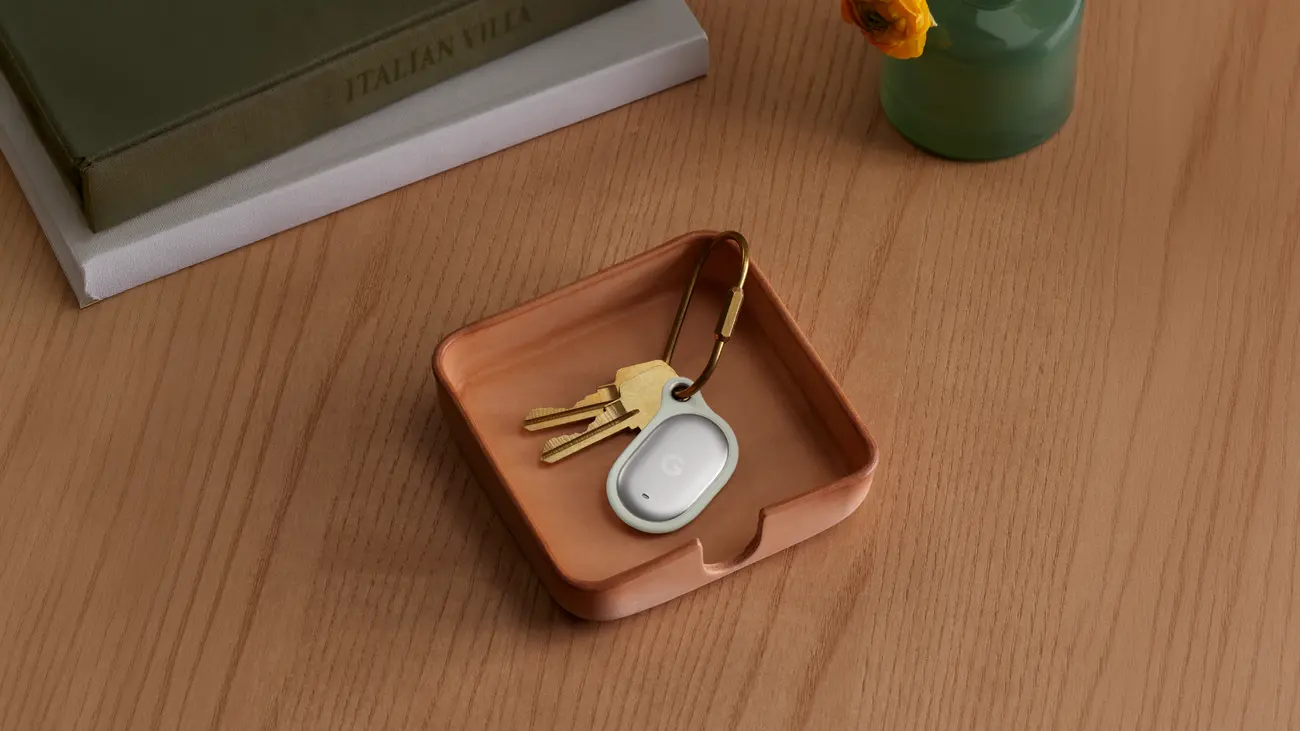
The Pixel Tag is Google’s first item tracker, priced at $29 for one or $99 for four, and sales start Nov. 11, 2026, according to Android Central. It works through Find Hub, the Android network for locating phones, earbuds, and tagged items. Google has also said that a “left behind” alert will work with the tag, but reports disagree on whether the full feature is live yet. This guide covers the Pixel Tag specifications, how Find Hub setup works, what the left-behind alert is confirmed to do, and which details are still unverified.
Pixel Tag specifications and price
Android Central, which reported on the tag’s launch with the Pixel 11 series, gives these figures. The table below pairs them with the comparison to Apple’s AirTag 2 from TechRepublic.
| Item | Google Pixel Tag | Apple AirTag 2 |
|---|---|---|
| Price | $29 single, $99 four-pack | $29 single, $99 four-pack |
| Availability | Nov. 11, 2026 | Available now |
| Finding network | Find Hub | Find My |
| Battery | Replaceable CR2032, rated for more than a year | Replaceable CR2032, no life estimate published |
| Sharing | Up to 10 people | 5 other people |
| Water and dust rating | IP67 | IP67 |
Android Central adds that the Pixel Tag measures 28 by 46.1 by 5.4 millimeters, weighs 11.8 grams with its battery, and has a built-in speaker and a button that rings the paired phone. It has no dedicated keyring hole, so attaching it to keys requires a separate case. 9to5Google, in its launch coverage, notes that the tag is smaller than the AirTag and the Moto Tag and, unlike the Moto Tag, will not fit Apple AirTag accessories. TechRepublic points out that Google’s battery and range claims are vendor figures, and it gives no range numbers for either tracker.
How Pixel Tag precision finding works
Android Central reports that precision finding works up to 50 meters from the paired phone and requires a phone with ultra-wideband hardware. Bluetooth Channel Sounding also provides distance and direction cues and requires Android 16 and Bluetooth 6.0. Setup uses Fast Pair and requires Android 9 or newer. The tag works with the Pixel Watch and Pixel Buds, per the same report.
Because the requirements differ, a phone without ultra-wideband hardware would still use the Find Hub map and the tag’s speaker, but not the 50-meter precision mode. That reading is the Jolt Journal’s, drawn from the reported requirements, and Google’s own product page has the final word.
How Find Hub setup works for the Pixel Tag
Google’s explainer on Find Hub lists the basic steps for the network: sign in to a Google Account, turn Location on, confirm Find Hub is on, install the Find Hub app, and create a 2-Step Verification backup code. Google says Find Hub can locate an Android phone or tablet even when it is offline, because nearby Android devices in the network use Bluetooth to detect lost items and report their locations securely. To locate an item this way, the device must have a PIN, pattern, or password set.

Google describes the location data as end-to-end encrypted, so only the owner and chosen people can see it. Owners can choose to participate in the network everywhere or only in busy places such as airports and city streets. To opt out, Google’s page points to Settings, then Google, then All services, then Personal & Device Safety, then Find Hub. The page also says Find Hub notifies a user automatically if an unknown Bluetooth tracker is detected traveling with them.
What the Pixel Tag left-behind alert is confirmed to do
GadgetHacks, in its review of what is confirmed, says Google has confirmed left-behind notifications and has named the Pixel Tag as the only supported device so far. It reports that Google Play services version 26.39 added a setup flow for left-behind reminders when a new tag is registered, and that the release notes for version 26.41 say users “can now use” the reminders. Google says alert timing and effectiveness depend on network connectivity and device settings. After an alert, a user can tap to see the device’s last known location.
The same review separates confirmed items from code-only findings. 9to5Google’s teardown of a Find Hub app update found strings for several features that Google has not announced:
- Per-device notification settings, with a prompt reading “Don’t notify at this location?” for excluding a place such as home.
- A “Move all settings for this tag?” prompt for shifting a tag’s alerts to a different phone.
- A “Ring this phone” option, which lets a user press the tag’s button twice to make the paired phone ring.
- Possible alerts for headsets and other items, in addition to tags.
9to5Google cautions that app strings can change before release and that the fuller implementation was not live when it wrote. GadgetHacks says the support status of other tags, including Moto Tag, Chipolo, and Pebblebee, is neither confirmed nor ruled out, and that the label “Notify when left behind” is its own suggestion and not a confirmed setting name.
What to check before buying a Pixel Tag
The checklist below is the Jolt Journal’s, built from the reported requirements.
| Check | Why |
|---|---|
| Phone runs Android 9 or newer | Required for Fast Pair setup |
| Phone has ultra-wideband hardware | Required for the 50-meter precision mode |
| A case or holder is bought separately | The tag has no keyring hole |
| Phone has a PIN, pattern, or password | Google says it is required to locate an item through Find Hub |
| Expectations for left-behind alerts match the reports | The full feature was not confirmed live at the time of the reports |
For other recent Google consumer changes, the Jolt Journal’s guide to Google Wallet for Kids covers a family-account feature, and its report on Google AI Plus losing Gemini Pro selection covers a plan change that takes effect two days after the Pixel Tag goes on sale.
Editor’s take
The Pixel Tag matches the AirTag 2 on price and rating, and its main selling points are the 10-person sharing limit, the replaceable battery, and a left-behind alert that Google has said will work with the tag. The weak spot is documentation. Several of the features people want most, including trusted-place exclusions and reverse ringing, have so far appeared only in app code, and the support status of other trackers is unconfirmed. A buyer who wants a tracker on Nov. 11 gets the hardware and the confirmed basics. A buyer who wants every alert in the teardown should wait for Google’s own setup page.
This is general information. Google’s product pages and Find Hub help pages have the final word on features, requirements, and availability.